

Web accessibility is the practice of designing and building digital experiences that everyone can use, including people with visual, auditory, motor, and cognitive disabilities. To improve website accessibility, it’s important to design for people with disabilities from the start. Use strong color contrast, semantic HTML, keyboard support, descriptive alt text, and captions—then verify your work with automated tools, manual review, and real user testing against WCAG standards.
Americaneagle.com has spent years helping some of the world's most recognized brands create accessible digital solutions. Our certified accessibility team—including Trusted Testers, Certified Professionals in Web Accessibility (CPWAs), and Certified Professionals in Accessibility Core Competencies (CPACCs)—manually assesses thousands of pages every year and has fixed countless accessibility issues for our clients.
This guide walks you through practical tips for improving website accessibility. You'll learn what accessibility really means, which laws may affect your business, how to bake accessibility into design and development, and how to test your site to make sure it works for everyone.
Understanding Website Accessibility & Why It Matters
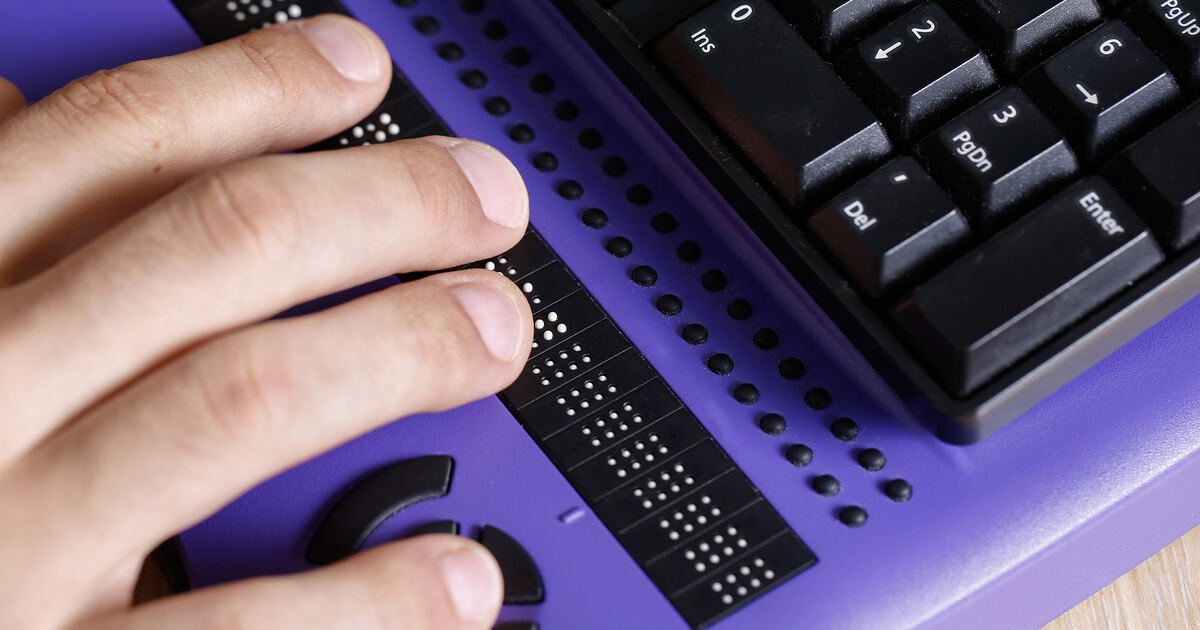
Web accessibility is the process of making websites, applications, and digital tools usable by people with disabilities. In plain terms, it removes the barriers that prevent someone from perceiving, navigating, understanding, or interacting with your content.
Accessibility is rooted in empathy and inclusion. When you design with real people in mind, you account for a wide range of needs:
- Visual impairments, including blindness, low vision, and color blindness
- Auditory impairments, including deafness and hearing loss
- Motor impairments that make using a mouse difficult or impossible
- Cognitive disabilities or neurodivergence, including dyslexia, ADHD, autism, learning disabilities, and differences in attention, memory, or information processing
The numbers make the case clearly. According to the World Health Organization, 1.3 billion people—about 16% of the world's population—live with some form of disability. In the US, the Department of Justice estimates that more than 50 million Americans have disabilities. This is a massive audience, and the global market that includes people with disabilities plus their friends and family controls over $13 trillion in annual disposable income, per the Return on Disability Group.
Here's the part many businesses miss: accessibility improvements help everyone. Captions benefit people watching video in noisy offices or homes. Clear navigation helps users in a hurry. High color contrast makes screens easier to read in bright sunlight. Good accessibility is good usability.
Legal Compliance: ADA, Section 508, & Global Accessibility Standards
Web accessibility isn't optional—it's a legal requirement in many cases. Thousands of lawsuits are filed each year against companies accused of violating accessibility laws, creating real financial risk for brands of all sizes. Understanding the laws that apply to your organization is the first step toward reducing risk and delivering an inclusive digital experience.
The Americans with Disabilities Act (ADA)
The ADA, enacted in 1990, prohibits discrimination against people with disabilities across public life, and courts have increasingly applied it to digital experiences. Two sections matter most:
- Title II applies to public entities like state and local governments, school districts, and public universities. Public entities serving 50,000 or more people must comply by April 26, 2027. Smaller public entities and special district governments must comply by April 26, 2028.
- Title III applies to private businesses considered "places of public accommodation." Title III is the source of most digital accessibility litigation, and businesses of all sizes face a steady stream of demand letters and lawsuits over inaccessible websites.
Section 508 of the Rehabilitation Act
Section 508 requires federal agencies and the contractors who serve them to make their information and communication technology accessible, generally incorporating Web Content Accessibility Guidelines (WCAG) 2.0 Level A and Level AA standards. Section 508 compliance testing evaluates whether digital content—including websites, software, documents, and more—meets those technical requirements through a completed Accessibility Conformance Report.
State-Level Mandates
Several states have enacted their own rules. Texas (through HB 5195) directs state agencies to bring websites and web applications into conformance with recognized accessibility standards, while Colorado (through HB 21-1110) requires state and local government digital resources to meet WCAG 2.1 Level AA. The state of New York provides another example of a state adopting a newer standard. It requires state websites, including third-party vendor-managed sites, to meet WCAG 2.2 Level AA by January 2027. This shows why organizations should confirm which WCAG version applies to their location and digital services rather than assuming every requirement follows the same technical standard.
The Accessibility for Ontarians with Disabilities Act (AODA)
The AODA remains an active legal framework in Ontario while accessibility standards continue to be reviewed and modernized. Depending on an organization’s type and size, obligations may include accessible digital content, policies, training, and compliance reporting. Businesses and nonprofit organizations with 20 or more employees must file an accessibility compliance report before the end of the year or before 2027.
The European Accessibility Act (EAA)
If your business sells products or services into the European Union, the EAA likely applies to you. The act took effect in June of 2025 and reaches organizations outside the EU that serve EU markets—making it relevant to many U.S. companies with international customers.
Not sure which rules apply to your organization? An accessibility audit is the fastest way to understand your risk and your obligations.
Accessibility in Web Design: Core Visual & Interactive Principles
Accessibility in web design starts long before a single line of code is written. The decisions you make in the design phase determine how welcoming your site feels to every user.
- Color contrast and typography – Text needs enough contrast against its background to be readable. WCAG recommends a ratio of at least 4.5:1 for normal text. Choose legible fonts, generous sizing, and ample spacing. Never rely on color alone to communicate meaning, since color-blind users may miss it.
- Responsive design – Your layout should adapt smoothly to phones, tablets, and desktops of every size. Content that reflows cleanly is easier for everyone to use, especially people who zoom in or rotate their devices.
- Clear error messaging – When a form submission fails, tell users exactly what went wrong and how to fix it. Pair color cues with text and icons so the message lands for all users.
- Plan for different interaction patterns – Some people tap, some click, some use a keyboard, and some use voice. Designing for that variety is one of the most effective ways to make websites more accessible.
Accessibility in Web Development: Building for All Users
Development is where design intent becomes reality. Strong code is the backbone of accessibility features on any website.
- Use semantic HTML – Proper headings, landmarks, lists, and buttons give assistive technologies the structure they need. A logical heading hierarchy lets screen reader users jump straight to the content they want.
- Apply ARIA thoughtfully – ARIA labels and roles fill gaps that native HTML can't, but the first rule of ARIA is to avoid it when a standard HTML element will do. Reach for semantic elements first, and use ARIA only to enhance.
- Support keyboard navigation – Every interactive element should be reachable and operable with a keyboard alone. Make sure focus is always visible and follows a logical order so users never get lost.
- Communicate dynamic changes – When content updates without a page reload—a cart total, a search result, a validation message, etc.—use status messaging so screen readers announce the change.
- Write flexible code – Your site should hold up when users adjust text size, magnification, or text spacing through their browser or operating system. Layouts that break under these adjustments shut out the people who depend on them.
These technical details are exactly the kind of fixes the Americaneagle.com team handles through accessibility remediation services, where developers across every major platform turn audit findings into working solutions.
Content Evaluation: Making Your Website Information Accessible
Your words, images, and media shape the experience as much as your code does. A thorough website content evaluation ensures the information itself is clear and usable.
- Write in plain language – Short sentences, simple words, and a clear structure benefit everyone, especially people with cognitive disabilities. Even changing one word can make instructions easier to understand. For example, "use" is often clearer than "utilize," and "continue" may be easier to understand than "proceed." Choose the simplest, accurate wording and avoid unnecessary jargon, idioms, and culturally specific expressions. Plain language can also reduce cognitive load for neurodivergent users and make content easier to understand for international users who may be reading in a second language.
- Add descriptive alt text – Every meaningful image needs alternative text that conveys its purpose, so screen reader users get the full picture.
- Structure with headers and lists – Structure content with headings and lists. Break content into scannable sections with clear headings and bullet points. This improves comprehension and helps assistive technology users navigate.
- Use descriptive link text – Skip vague phrases like "Click Here" or "Read More." Anchor text such as "Download the Accessibility Checklist" tells users exactly where a link leads.
- Make video accessible – Captions, transcripts, and audio descriptions are frequently overlooked but essential. Captions help people who are deaf, and transcripts help everyone search and skim.
- Don't forget PDFs – PDFs need proper tagging, a logical reading order, and alt text just like web pages. Untagged documents are a common and potentially costly accessibility gap.
Accessibility Testing: Ensuring Your Website is Truly Usable
Accessibility testing is what separates good intentions from real results. The most reliable approach combines automated and manual methods.
- Automated testing – Tools scan your site quickly to flag common issues like missing alt text or low contrast. They're a great starting point, but automation can't catch everything because it lacks human judgment. Automated and AI-assisted tools can help identify patterns, but they cannot confirm the complete user experience or determine whether every interaction is understandable and usable.
- Manual accessibility auditing – This remains necessary because automated and AI-powered tools cannot identify every barrier or fully evaluate the user experience. Human auditors can follow real tasks, interpret how a barrier affects users, and explain why an interaction fails. This context is especially important because every website is unique, even when it uses a common template. Its content, components, third-party integrations, and user journeys can create different accessibility barriers.
- Manual code review – Accessibility specialists inspect your HTML, CSS, and JavaScript against WCAG criteria to find problems automated tools miss.
- Screen reader testing – Navigate your site with NVDA, JAWS, or VoiceOver to experience it the way many users with visual impairments do. Manual testing should also include screen magnification, voice control, switch access, and mobile assistive technologies when they are relevant to the product and audience.
- Keyboard-only navigation – Keyboard testing involves more than pressing the Tab key. Test Enter, Space, arrow keys, and Escape where expected, along with focus order, focus movement, modal behavior, custom controls, and the complete steps needed to finish a task. Current automated and AI tools cannot reliably reproduce or judge every human interaction pattern, so qualified manual testing remains necessary. Turn off your monitor, turn on a screen-reader, and try to navigate from one page of the site to another to experience the site.
- User testing with people with disabilities – Nothing beats feedback from real users who rely on assistive technology every day. Feedback from people with disabilities provides a different type of insight than automated or AI-based testing. It helps teams understand how barriers affect comprehension, confidence, efficiency, and the ability to complete real tasks.
Use WCAG as your benchmark. Its four principles state that content should be perceivable, operable, understandable, and robust, with Level AA serving as the standard target for most organizations. WCAG 2.2 should be used as the current recommended target, when possible, even though some laws still formally reference WCAG 2.0 or WCAG 2.1. New York State is one example of WCAG 2.2 Level AA being adopted as a specific requirement. Among the best accessibility tools to support your efforts are WAVE, Deque's axe DevTools, Siteimprove, Google Lighthouse, and the free IBM Equal Access Toolkit. For a deeper breakdown, see our guide to web accessibility testing tools.
Mobile Accessibility: Don't Forget Smartphones & Tablets
More people browse on phones than ever, yet mobile accessibility is often an afterthought. Mobile presents unique challenges that desktop testing won't reveal.
- Touch targets – Buttons and links need to be large enough to tap accurately as small targets can be difficult to operate for users with motor impairments.
- Navigation – Menus should be simple, predictable, and easy to navigate with one hand or with assistive gestures.
- Screen reader compatibility – Test compatibility with the built-in screen readers on each platform: VoiceOver on iOS and TalkBack on Android.
- Orientation and zoom – Content should work in both portrait and landscape, and remain usable when a user zooms in.
To check your work, use mobile accessibility testing tools like Google Lighthouse, axe DevTools for mobile, and the native accessibility inspectors built into iOS and Android. Testing on real devices, not just emulators, is one of the best ways to improve the accessibility of a website.
Accessibility Best Practices You Can Start Today
Here's a checklist of accessibility best practices and web accessibility tips you can act on right away.
Quick wins:
- Add descriptive alt text to all meaningful images
- Check your color contrast against WCAG's 4.5:1 ratio
- Make sure every interactive element has a clear, visible focus indicator so keyboard users can tell where they are on the page
- Replace vague link text with descriptive anchors
- Add captions to your videos
- Make sure every page has one clear, logical heading structure
Long-term improvements:
- Build keyboard navigation and visible focus into every interactive element
- Establish a content style guide that prioritizes plain language
- Tag and remediate your PDFs and downloadable documents
- Integrate automated accessibility checks into your development workflow
- Schedule regular manual audits and user testing
Accessibility isn't a one-time thing. Treat it as an ongoing practice, and revisit your site each time you add new content or features.
Make Accessibility Human
Technical fixes matter, but the goal is human: people. To genuinely improve accessibility for disabled users, design with them, not just for them.
- Involve real users – Recruit people with a range of disabilities to test your site and share honest feedback. Their lived experience reveals barriers that checklists overlook.
- Address emotional and functional needs – Beyond completing a task, users should feel respected and confident. Reduce friction, simplify forms, and offer clear guidance at every step.
- Aim for inclusive experiences – The best designs work seamlessly for everyone. When you build for the widest range of abilities, you increase accessibility and create a better product for all of your visitors.
This mindset shift—from compliance checkbox to genuine inclusion—is where lasting accessibility improvements come from.
Building a System to Continually Improve Website Accessibility
Improving web accessibility comes down to a few core commitments: design with contrast, clarity, and flexibility; build with clean, semantic code and full keyboard support; write clear, well-structured content; and test thoroughly with both tools and real people. Layer in awareness of the laws that apply to you—ADA, Section 508, state mandates, EAA, etc.—and you're well on your way to a site that welcomes everyone.
Remember, every one of these accessibility improvements benefits all of your users, not just those with disabilities. Accessible websites are often easier to use, can support SEO through clear structure and meaningful content, and can help organizations reach a wider audience.
If you're ready to make your website more accessible, Americaneagle.com is here to help. As trusted web accessibility experts with a certified team, proven partnerships, and thousands of successful remediations behind us, we offer everything from accessibility audits to design support and ongoing compliance monitoring.
Contact Americaneagle.com to start building a more inclusive digital experience today.
Frequently Asked Questions
What is web accessibility and why is it important?
Web accessibility is the practice of designing websites, apps, and digital tools so people with disabilities can perceive, navigate, and interact with them. It's important because it gives everyone equal access to information, expands your potential audience to the 1.3 billion people worldwide who live with a disability, improves usability for all users, boosts SEO, and reduces the risk of accessibility-related lawsuits.
How can I test my website for accessibility?
Begin with automated tools. WAVE, axe DevTools, Siteimprove, and Google Lighthouse are the go-to options for spotting common issues like missing alt text, poor color contrast, and labeling errors. They're quick, easy, and a solid first step. Newer tools like GetWCAG, Silktide, AccessibilityChecker, and Monsido are handy for site-wide scanning and monitoring over time. But it’s important to remember that automated tools only catch part of the picture. You'll also want to test things yourself. Try navigating your site using only your keyboard, and check it with screen readers like NVDA, JAWS, or VoiceOver. And the best test of all? Real people. Include user testing with people who have disabilities.
What is the difference between ADA and Section 508 compliance?
The ADA is a U.S. civil rights law that prohibits discrimination against people with disabilities and applies broadly to public entities (Title II) and private businesses (Title III). Section 508 is part of the Rehabilitation Act and applies specifically to federal agencies and their contractors, requiring their technology to meet accessibility standards. In practice, both point to WCAG as the technical benchmark, but they cover different organizations.
How do accessibility tools work for websites?
Accessibility tools fall into a few categories. Automated checkers scan your code to flag issues like missing alt text or poor contrast. Assistive technologies—screen readers, magnifiers, and voice dictation software—let users with disabilities interact with your site. Testing tools like axe and Lighthouse integrate into development workflows to catch problems early and monitor compliance over time. The strongest results come from combining automated tools with manual review. Please note: manual audits remain essential because automated and AI-powered tools cannot identify every barrier or fully evaluate how a person completes a task. Human review and feedback from people with disabilities provide context about the user experience that automated results cannot provide, especially because each site has unique content, components, integrations, and workflows, even when it is built from a template.
What are some quick ways to improve accessibility?
Start with high-impact, low-effort fixes: add descriptive alt text to images, check your color contrast meets a 4.5:1 ratio, use clear and descriptive link text instead of "Click here," add captions to videos, and ensure your pages have a logical heading structure. These quick wins make an immediate difference while you plan deeper, long-term accessibility improvements.